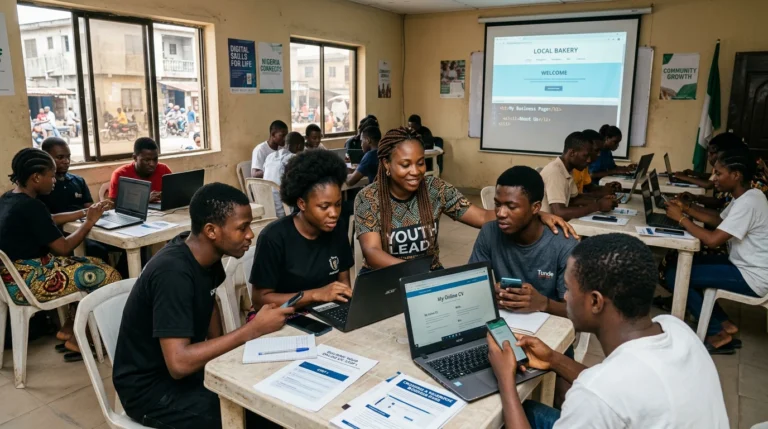
Digital technology can open doors to learning, employment, creativity and civic participation. But handing out phones, providing an internet connection or organizing a one-off introductory session is not enough. For a digital skill to become genuinely useful, it must address a situation young people actually face and produce a result they can understand, share or reuse.
In a neighbourhood, an association or a sports club, needs are rarely abstract. People need to announce an activity, find reliable information, prepare an application, organize a team, showcase an initiative or help a young person discover a training opportunity. Digital tools become relevant when they make one of these actions easier without replacing the human relationships that sustain the project over time.
My experience working with young people through community organizations, my background in training and digital support, and my work on web projects have taught me one simple lesson: a tool is useful only when people understand what they can do with it and feel capable of progressing. The goal is therefore not to remove young people from their environment and place them in a separate digital world. It is to help them use these skills to learn, create, collaborate and contribute where they live.
In this article
- Digital technology does not replace the community: it can strengthen what already exists
- Start by listening to young people and understanding their realities
- Move from digital consumption to creation
- Connect every skill to a practical opportunity
- Turn the community into a place for learning
- Keep human support around the tools
- Build in safety, critical thinking and responsibility
- Design a small-scale first local digital project
- Key takeaway: open doors without cutting roots
Understand the topic
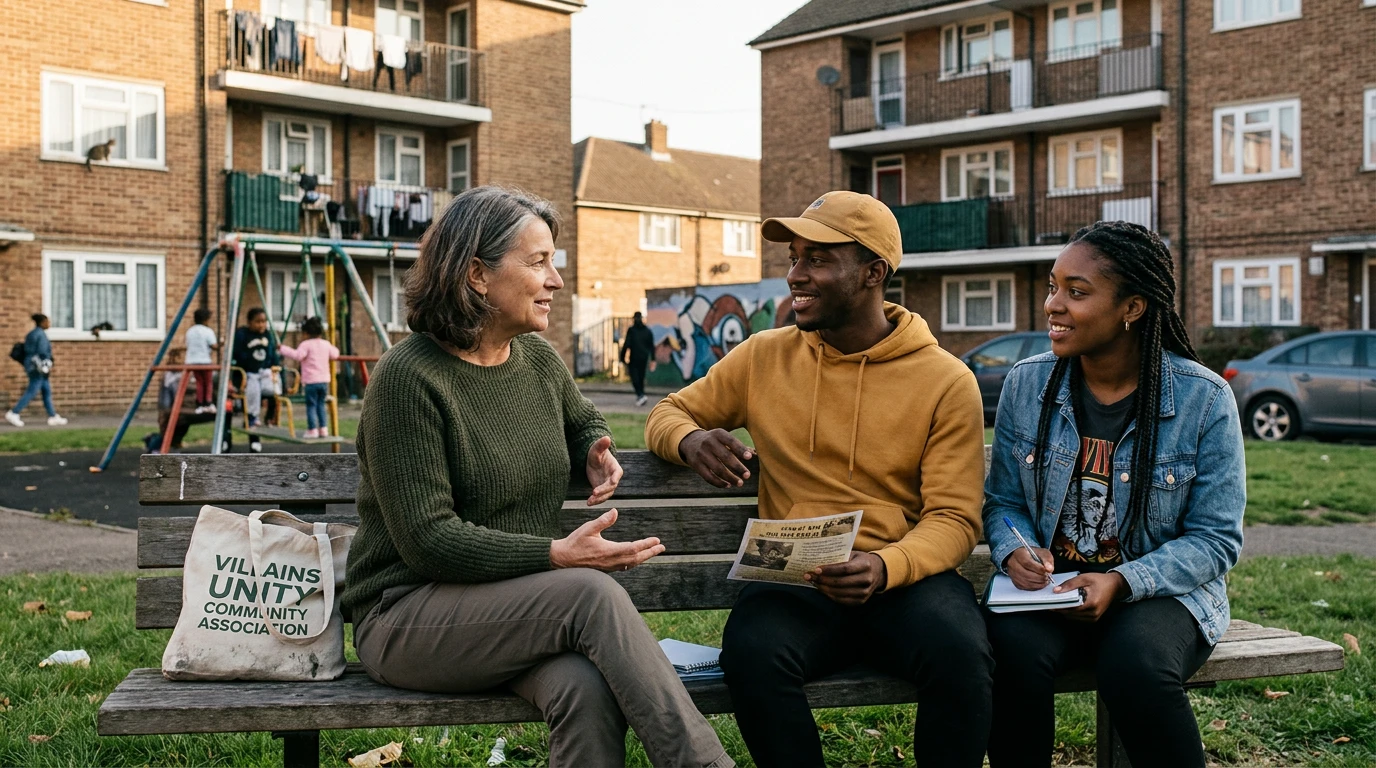
A community already holds knowledge, solidarity and opportunities to learn. Parents understand local realities. Educators know where the difficulties lie. Associations create activities with limited resources. Young people have talents in communication, drawing, video, organization and sport.
A useful digital initiative starts by recognizing these resources. Its first question is not, “Which tool will we use?” It is, “Which local activity do we want to improve?”
An association may, for example, want to announce its meetings more effectively. An amateur sports club may wish to present its teams and results. A group of young people may document the history of their neighbourhood or create a directory of services available to families. In these situations, digital technology strengthens an existing activity rather than trying to replace it.
This approach also protects human connection. In-person meetings, conversations with parents, guidance and knowledge of the local context remain essential. UNICEF research on digital civic engagement specifically recommends considering online and offline contexts together while accounting for local circumstances. Digital technology can support community participation, but it cannot replace the community.
Start from real uses
A programme for young people can be well intentioned and still miss its audience if it is designed without them. Before selecting a topic, platform or schedule, organizers need to understand their needs, constraints and interests.
Do they have their own phone, or do they use a relative’s device? Is their internet connection stable and affordable? Do they prefer to learn through demonstrations, projects or short challenges? Are they trying to prepare more effectively for their studies, showcase a talent, find training or contribute to a local activity?
These questions profoundly change the way support should be designed. An activity built around large video files will be unrealistic if data is expensive. Training scheduled at a time that conflicts with school or family responsibilities will exclude part of the audience. A highly theoretical programme may lose young people who would progress more effectively by completing a practical project.
UNICEF emphasizes that adolescent participation should provide a safe space where young people can express their priorities and take part in decisions that affect them. Listening therefore means more than collecting their opinions at the end of an activity. It means involving them in choosing the problem, the project and the way the work will be organized.
Identify needs and risks
Watching videos, browsing social media or using messaging apps already requires certain skills. But autonomy grows when a young person becomes able to create, organize, explain and verify.
Creation does not only mean programming or developing a website. It can involve writing a clear message, preparing a poster, recording a short interview, building a presentation, structuring a document, designing a questionnaire, comparing several sources or planning the stages of an activity.
Consider a hypothetical example: an association wants to promote a community clean-up day. Young people can identify the necessary information, write the announcement, create a visual, prepare a publication schedule and document the results. This project develops communication, collaboration, time management, information verification and content creation.
The outcome is visible and useful. Participants leave with more than knowledge of a piece of software. They understand how to turn a shared intention into a practical result.
Choose a simple method
A digital skill becomes more motivating when it connects to an opportunity young people can understand. Knowing how to organize files can help prepare an application. Learning to search for information can support the choice of a training programme. Basic spreadsheet skills can help track a club’s equipment. Understanding visual communication can help promote an association’s activities.
UNICEF highlights learning pathways that combine digital skills, human skills, employability and the ability to solve community problems. This combination matters because technical knowledge alone is not enough. Young people must also learn to collaborate, explain a decision, meet a deadline, ask for help and present their work.
For each activity, the facilitator can therefore ask three questions:
- Which skill will the young person practise?
- What practical result will they produce?
- In what other situation could they reuse what they have learned?
This approach makes progress visible. It also helps parents and community leaders understand that time spent with digital technology can build autonomy, not merely provide entertainment.
Involve the right people
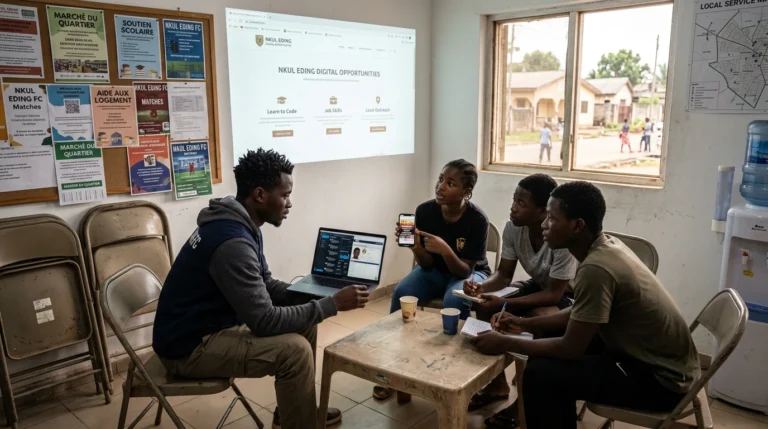
The community can provide richer project topics than a generic exercise. Young people can map useful places, document a cultural activity, present a profession, create a volunteer profile, build a tournament calendar or explain how a community service works.
Such a project still requires clear rules. The necessary permission must be obtained before photographing someone or publishing information about them. Private contact details must not be shared. Content must be verified. Responsible adults should guide sensitive decisions.
In a sports context, for example, an exercise could involve preparing the digital communication for a fictional event: essential information, a visual, allocation of roles, a schedule, publication rules and a review. This is a hypothetical learning scenario, not an account of a specific activity that has already taken place.
This method also works with the resources available. A single shared computer may be enough when roles are distributed among research, writing, verification, visual creation and presentation. The digital project then becomes an exercise in local cooperation.
Test before scaling
Access to a tool does not guarantee understanding or confidence. Some young people learn quickly by exploring on their own. Others need to watch a demonstration, repeat a task or ask questions without fear of being judged.
Human support helps create that environment. It distinguishes a normal mistake from failure, adapts the pace and brings attention back to the goal when it drifts. It also reveals less visible barriers: reading difficulties, lack of equipment, fear of making mistakes or the absence of a quiet place to practise.
Adults do not need to master everything. Their role may be to establish a framework, connect young people with someone who has the right expertise, follow up on commitments and recognize progress. Support becomes even more effective when young people can help one another and explain what they have just learned.
This relationship is essential to preserving local roots. Digital technology opens access to distant resources, while human support helps young people interpret them in a practical context.
Measure and improve
Learning to use digital technology also means learning to protect oneself and others. Passwords, privacy settings, fraud attempts, harassment, images published without permission and misleading information should all be part of the learning process.
Critical thinking can be practised through simple habits: identify who created the information, check its date, compare several sources and distinguish a fact from an opinion or an advertisement. The goal is not permanent distrust, but sound judgement.
UNESCO connects digital skills with media and information literacy and with the active participation of young people. This reminds us that knowing how to publish is not enough: young people must also understand what they share, who may benefit or be harmed, and what responsibility comes with speaking publicly.
Every project should therefore include a short check before publication: do we have permission? Is the information accurate? Does it reveal personal data? Does the message respect the people concerned? This routine turns safety into an everyday practice.
Sources and references
There is no need to begin with a large programme. A first project can run for two to four weeks and bring a small group together around one specific outcome.
The process can remain simple:
- listen to young people and choose a local need with them;
- define an outcome that can be achieved with the available equipment;
- assign roles and establish a few safety rules;
- create a first version;
- present it to a small group of parents, educators or community leaders;
- collect feedback and improve the result;
- document what participants learned.
The indicators should stay practical. Did the group complete what it planned? Can the young people explain their contribution? Can they repeat part of the work without assistance? Is the result genuinely useful to the association or the community?
Starting small reduces risk, reveals where support is needed and avoids investing too early in complex tools. If the project works, it can then be repeated, adapted or progressively entrusted to the young people themselves.
Key takeaway: open doors without cutting roots
Helping young people develop digital skills does not mean disconnecting them from their environment. It means giving them more ways to understand the world, express their ideas, discover opportunities and contribute around them.
Success is not measured by the number of applications introduced. It appears when a young person can find information, create responsible content, collaborate, protect their data, complete a small task or use a skill to solve a real problem.
The community remains a place of belonging, but it also becomes a place for experimentation and contribution. Relationships with parents, educators, associations and other young people give purpose to the tools.
Digital technology opens more doors when it turns a skill into autonomy, an idea into something created, a voice into participation and learning into a practical opportunity. That is the real objective: helping young people move forward without asking them to forget where they come from, and enabling them to strengthen their environment as they grow.
“Digital skills open more doors when they help young people create, learn and take action in their own communities.”
ALLFORWEB Method
Let’s grow together
Would you like to create a digital initiative that benefits young people in your community?
Let’s discuss your audience, your resources and a realistic first project that connects digital learning, human support and local impact.