
A “cheap” website can become expensive when nobody can find you, understand your offer or contact you. A well-planned first website, however, can start modestly and already deliver a concrete result: reassure a prospect, explain your services and turn a recommendation into an enquiry.
After leading more than forty digital projects for small businesses and associations, my conviction is simple: the budget should follow the priorities, not the latest trend. The goal is not to stay small forever. It is to build what is right today so the organisation can grow tomorrow.
In this article
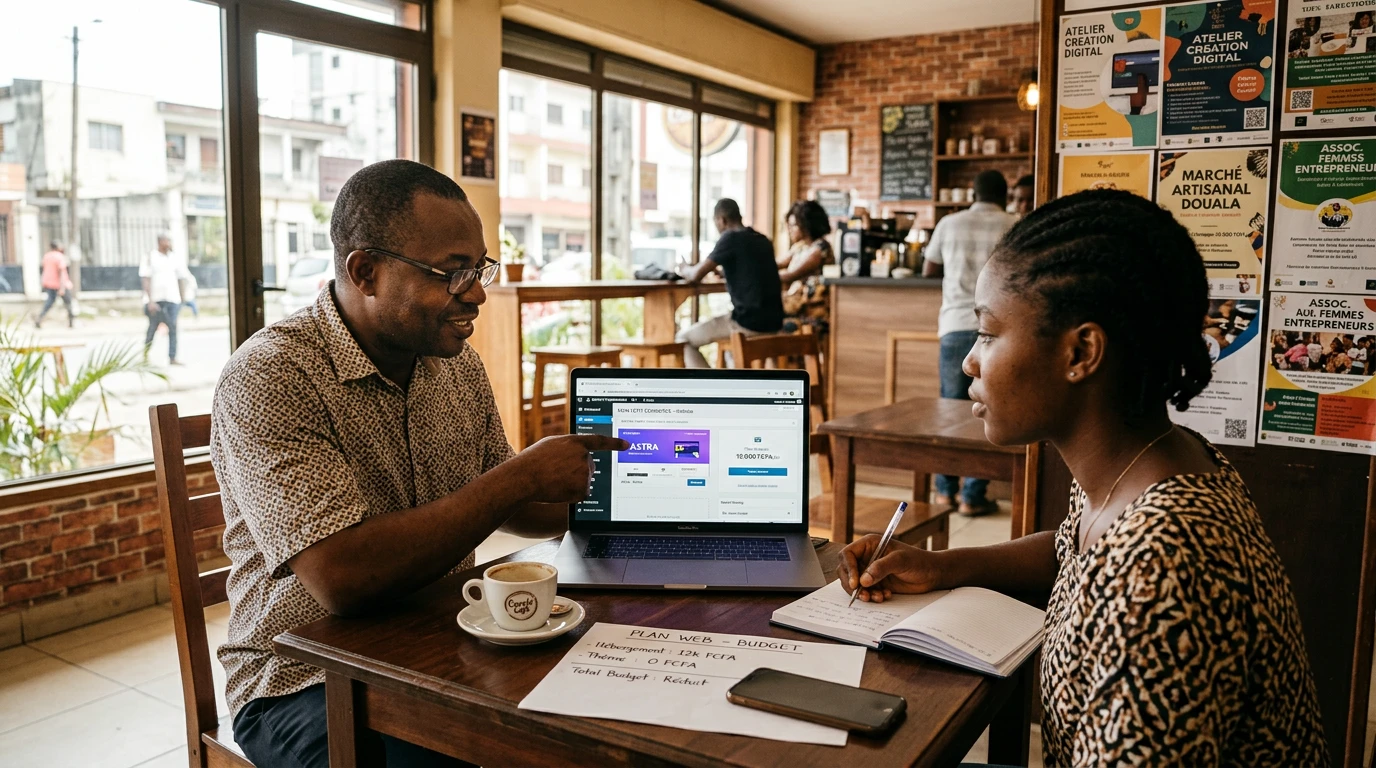
An effective first website begins with clear priorities, not a long feature list.
Define a useful budget instead of an arbitrary price
Asking “How much does a website cost?” is like asking the price of a vehicle without explaining whether it must carry one person through a city or a team across difficult roads. The right budget depends on the expected result, the content to produce, the level of independence you want and who will be responsible after launch.
Start with one measurable sentence: “Within three months, the website must help a manager understand our three services and request a quote in under two minutes.” That sentence separates essential spending from pleasant options. It also protects the project from changing direction every time a new idea arrives in the team’s WhatsApp group.
Your budget should cover four areas: technical ownership — domain, hosting and accounts; production — strategy, copy, images and implementation; quality — testing, security, performance and accessibility; and continuity — backups, updates and small improvements. Ignoring continuity is rather like buying a vehicle and pretending maintenance will never exist.
A practical rule: fund what helps people find, understand, believe and contact you first. Add the spectacular later, when it supports a clear objective.
Six investments that matter at the beginning
1. A domain and accounts you own. The domain name, hosting, analytics tools and administrator accounts should belong to your organisation. Store access securely and appoint at least two responsible people. A provider can manage your website without owning it.
2. An offer people understand quickly. The home page should say who you help, which problem you solve and what visitors should do next. Google recommends useful, original and well-organised content made primarily for people. That clarity supports both search visibility and conversion.
3. A small set of complete pages. For many small businesses and associations, Home, Services, About, Work or proof, Contact and the required legal information create a stronger start than fifteen half-empty pages. Every page should answer a genuine question.
4. A short contact journey. Phone, email, WhatsApp or form: choose one main action and test it on several phones. In Cameroon, a visitor may be using an inconsistent connection. In Canada, someone may compare providers on a mobile phone between appointments. In both situations, every unnecessary step consumes attention.
5. A fast, accessible experience. Properly sized images, readable contrast, large enough buttons and straightforward navigation are not luxuries. Google recommends secure, fast and accessible websites that work across devices. Use descriptive image alternative text and a logical heading structure as well.
6. Basic but genuine maintenance. WordPress describes a healthy website as up to date, well maintained and secure. Plan backups, updates, form monitoring and regular link checks. The world’s most elegant contact form produces nothing when its emails quietly stop arriving.
Choose the solution according to your autonomy, not price alone
A free or very inexpensive platform can suit a business testing its positioning, provided you accept its limits. A supported WordPress website usually offers more freedom and room to evolve, but needs clear governance. A hosted platform simplifies some technical duties while potentially creating dependence on its pricing and feature set.
Before choosing, consider five questions. Can your team change a paragraph without calling someone? Can you retrieve your content if you move? Can you add a language or better form later? Can you obtain help quickly? Do you know the complete annual cost? Launch price is only one line; total ownership includes time, subscriptions, corrections and the team’s ability to act.
For a small organisation, I often favour the simplest solution the team can still control twelve months later. It may sound less impressive in a presentation, but it feels far better when a phone number must be changed on a Friday evening.
What can wait without weakening the launch
A complete online shop, members’ area, mobile application, chatbot, multiple languages or advanced automation may become excellent investments. They should not be included merely to “look modern.” Begin by observing the enquiries received, repetitive tasks and points where prospects abandon the journey.
Use a basic matrix: value for the user, value for the organisation, implementation effort and maintenance cost. A high-value, low-effort feature belongs in the first version. An attractive feature that is rarely useful remains on the “later” list. Postponing is not abandoning; it is protecting the launch.
A realistic 90-day plan
Weeks 1 and 2 — define. Identify the priority audience, promise, pages, main action and final decision-maker. Gather the logo, contact details, approved photographs and proof of your work. Decide who owns every account.
Weeks 3 and 4 — produce. Write the content before multiplying visual effects. Build the essential version, compress images and configure basic search optimisation. Ask someone unfamiliar with the project to review it. If the offer is unclear to them, they are not the problem.
Month 2 — test and publish. Check the website on desktop and mobile, including forms, links, speed and readability. Publish it, share it with your network and record the questions people ask. Track meaningful actions: useful visits, contact clicks and qualified enquiries matter more than a large number with no consequence.
Month 3 — improve. Correct misunderstandings, add proof or a useful FAQ, then select one profitable improvement: local search visibility, a service page, a quote form or automated follow-up. Websites progress more reliably through regular decisions than through emergency redesigns.
Measure what the website actually contributes
Track a short list of indicators tied to the objective: qualified enquiries, completed forms, calls originating from the website, pages that lead to contact and the time required to update information. Add a monthly thirty-minute review for messages, technical health and content that needs attention.
If traffic produces no enquiries, review the offer and call to action. If enquiries are numerous but unsuitable, clarify the audience and conditions. If nobody finds the site, improve visibility and useful content. Measurement is not about admiring a dashboard; it helps you choose the next action.
Key takeaways
- Define a result before setting the budget.
- Keep ownership of accounts and content.
- Complete a few useful pages before adding complex features.
- Budget for maintenance from the beginning.
- Measure enquiries and improve the website in stages.
A controlled budget does not mean a second-rate project. It means every expense has a reason. Doing the structural work today prevents expensive emergencies tomorrow — and gives the website room to grow with the organisation.
Sources and practical references
“A strong first website does not try to impress everyone: it helps the right people trust you and take action.”
ALLFORWEB Method
Let’s grow together
Your web project deserves a clear framework
Let’s discuss your priorities, budget and the most useful way to get started.